
Most of the time spent on a web page goes to unclear planning, starting from a blank page, and repeated rounds of revision. Fixing those three points usually saves more time than polishing sentences, and you can do it with manual changes: write a short brief before drafting, reuse proven page structures, draft answer-first in small blocks, keep a notebook of checked facts, batch similar tasks, and agree on review criteria before the page goes to anyone else. The time you save will vary with your skills, the type of page, and how many people must approve it, so treat the methods below as a workflow to test on your own pages rather than a guaranteed result.
Find Where the Time Actually Goes
Most people assume that slow page writing comes from slow typing. In practice, the delays usually come from other places. A page moves through a series of stages: research, planning, drafting, editing, formatting, metadata, publishing, and revisions. Each stage can stall for reasons that have little to do with writing. You may wait for a decision about what the page should cover, search for a figure you saw somewhere last month, or rewrite a section because a reviewer's comment was vague.
Before you change your process, find out where your own time goes. Choose one or two recent pages and keep a simple log. For each work session, note the date, the stage you were working on, how long it took, and whether you were writing, searching, waiting, or revising. Include the time a page sat idle while someone else was reviewing it. After a few pages, you will usually see a pattern. For many writers the largest blocks are waiting time and rework, not drafting. This is a common pattern worth checking, not a finding that applies to every team, so let your own log decide where to start.
Write a One-Page Brief Before Drafting
A brief is a short document that defines a page before you write it. It should fit on one page and answer a few questions: What is this page for? Who is reading it? What question does it answer? What should the reader do next? Which focus keyword belongs in it, used naturally? Which sections must appear? Which facts, sources, or examples should be used?
A clear brief reduces the decisions you have to make halfway through a draft. When you do not know what a section must accomplish, you tend to write it, read it back, and rewrite it. When the brief settles the purpose and the required content in advance, most of those mid-draft choices are already made. The brief also gives a reviewer something to check the page against, which makes feedback more specific.
Here is a hypothetical example for a service-area page. The brief is invented for illustration and does not describe a real business.
- Purpose: explain the emergency plumbing service available in one town.
- Reader: a homeowner in that town who needs a repair the same day.
- Central question: Does the company cover my street, and how fast can someone arrive?
- Intended action: call the phone number or submit the request form.
- Focus keyword: emergency plumber in the town, used in the introduction and one heading.
- Required sections: service area, hours, what to expect on arrival, pricing approach, contact details.
- Facts to use: service hours and coverage area, confirmed by the operations manager and recorded in the notebook described below.
Reuse Proven Page Structures
Reuse is one of the strongest time savers, but it needs careful handling. What you can safely reuse is structure: the order of headings, the purpose of each section, and typical length ranges. For example, a how-to guide might always open with the outcome, list the materials or prerequisites, give the steps, cover common problems, and end with a next step. An explainer might define the topic, explain how it works, show an example, and address misconceptions.
What you should not reuse is copy. Pasting the same paragraphs into many pages produces thin content and duplicated text, and it leaves each page unable to answer its own reader's question. Two location pages with the same body text and different town names are a familiar example of this problem.
Build a small library of outlines for the page types you produce most often, such as how-to guides, explainers, location pages, and product pages. Keep each outline flexible. The outline tells you what each section must do, and the page's own brief tells you what to say in it. Review your outlines every few months and retire any section that readers do not need.
Draft Answer-First and in Short Blocks
Writing answer-first means that each section begins with its direct answer or takeaway. You then explain the reasoning and add an example. This approach saves time because you always know what the section is for, and you can stop when the answer and its support are complete. It also makes editing faster, since a reviewer can check the first sentence of each section and decide whether the section works.
Keep paragraphs short, with one idea per paragraph. Use descriptive headings that say what the section covers, so a reader scanning the page can find their answer. Use a list only when the items are truly parallel, such as the steps in a process or the items in a checklist. A list of loosely related points is harder to read than a paragraph.
Write in small blocks. A section that stands on its own can be reviewed, reused, or updated without rewriting the whole page. When a fact changes, you can revise one block instead of reopening the entire article.
Keep a Reusable Source and Fact Notebook
Many writers repeat the same research for every page. A simple notebook solves this. It is a file, spreadsheet, or document where you record the facts, definitions, and sources you rely on. For each entry, note the fact, the source, the date you checked it, and the page where you used it.
Separate verified facts from opinions, editorial guidance, and assumptions. A statement such as "our team recommends a two-step review" is guidance, not a fact about the world, and it should be labeled that way. Keeping these categories apart prevents an opinion from being repeated later as if it were established.
Facts go out of date, so add a review date or a recheck note to entries that depend on current conditions, such as prices, hours, regulations, or product features. Before you reuse an entry, check whether it still holds. The notebook will save time only if you trust it, and you can trust it only if you keep it current. Whether this method saves time in your situation depends on how often you publish and how often your facts change, so measure it on a few pages before you rely on it.
Batch Similar Tasks and Set Clear Review Criteria
Switching between different kinds of work costs attention. Batching groups similar tasks together. You might write the headings for several pages in one session, then the introductions in another, then run a single formatting and link check across all of them. Batching also lets you reuse the same mental setup for each task, which helps most when the pages are of the same type.
Reviews are another place where time disappears. A review that asks "Do you like this?" tends to produce broad, subjective comments and repeated rounds. A checklist with defined criteria focuses the review on what matters. A useful checklist covers accuracy, whether the page answers the reader's question, natural use of the focus keyword, heading structure, links, and publishing details such as titles, descriptions, and dates. Agree on these criteria with your reviewers before the work starts, so that everyone knows what a finished page looks like. Clear criteria reduce back-and-forth because reviewers flag specific problems and the writer can fix them in one pass.
Tradeoffs and Common Mistakes
Shortcuts can cost more time than they save if they damage quality. Four mistakes come up often.
- Skipping research to save time often leads to corrections later, which take longer than the research would have.
- Over-templating can create thin or repetitive pages that follow the structure but do not answer the reader's question.
- Adding keyword repetition to speed up optimization tends to make text unnatural, and readers notice it.
- Speed should never replace checking facts, links, and claims. A fast page with an error is slower to fix than a careful page.
If a shortcut makes a page harder to read or less accurate, it is not a saving. Judge each change by whether the finished page is as clear and correct as before.
Scaling Beyond One Writer's Manual Workflow
Manual methods work well for one writer or a small team producing a manageable number of pages. They become harder to sustain when one person or team must produce or maintain many pages across several sites or markets. Brief writing, outline libraries, fact notebooks, and review checklists still apply, but keeping them consistent across dozens of pages becomes a job in itself.
At that scale, teams often look for operational support: standardized workflows, reusable production assets, approval steps, and controls over how pages are published. These address consistency and coordination more than writing skill. They are a question of how the work is organized, and a team can build parts of this process by hand.
For agencies that manage recurring WordPress client work, Operating platform for agencies managing recurring WordPress client work describes an operating platform that covers several of these needs. According to the page, it provides standardized workflows and reusable production workflows, templates and approvals, and controlled WordPress publishing. The most direct connection to the methods in this article is the templates and approval steps, which support the consistency and review criteria discussed above. The broader benefit the page describes is that an agency can manage more scope without growing its delivery team at the same rate. These are vendor descriptions of what the offering provides, and the page does not supply time-savings figures, so judge them against your own needs. The page also states that the agency keeps the client relationship, strategy, pricing, and margin, with the platform serving as operating capability rather than a replacement for the agency's services.
A Practical Routine for Your Next Page
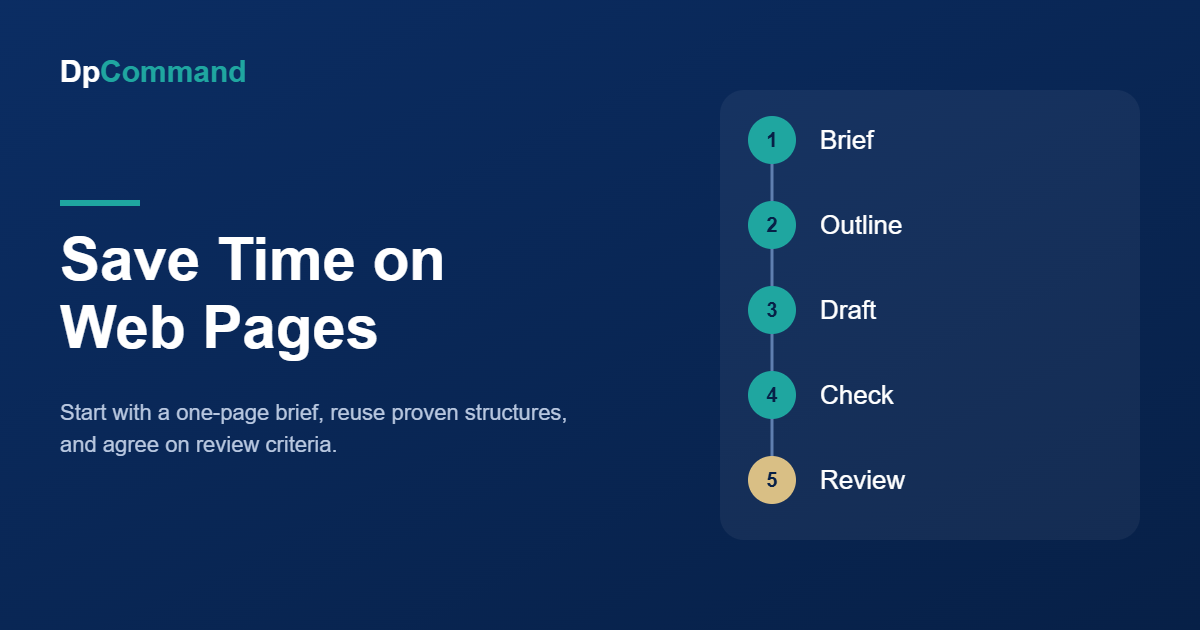
You can apply the methods in this article to your next page with a short, repeatable sequence.
- Write the brief, including the reader's question, the intended action, the focus keyword, the required sections, and the facts to use.
- Select the outline that matches the page type, or adapt it for the new brief.
- Draft each section answer-first, in short blocks.
- Check each fact against your notebook, and recheck any entry that may be out of date.
- Run the review checklist, and send the page for review with the criteria agreed in advance.
Track the time you spend on the next two or three pages, using the same log you kept at the start. Compare the results with your earlier pages. Your own numbers will tell you more than any general pattern, and they will show which change to make next.
Keep the Three Levers in View
Three levers account for most of the time saved in web page writing: clear briefs that settle the page's purpose before drafting, reusable structures and checked facts that stop you from starting over, and defined review criteria that keep feedback focused. Start with one of them, measure the effect on a few pages, and then decide whether to change the next part of your process.